



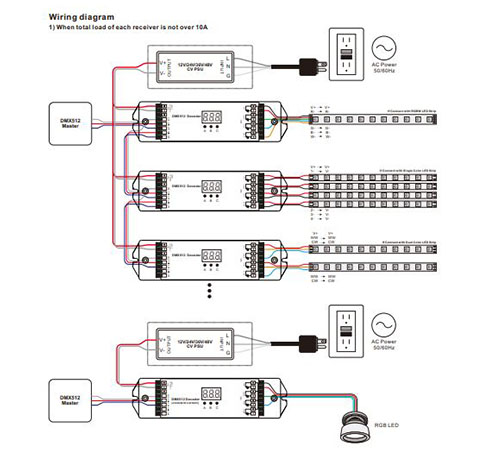

Açıklama
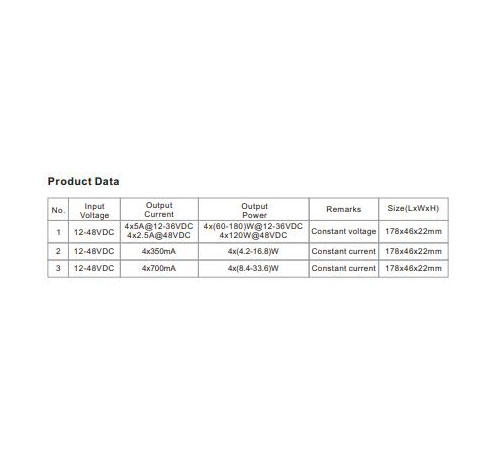
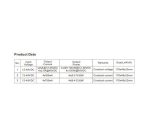
Product Data
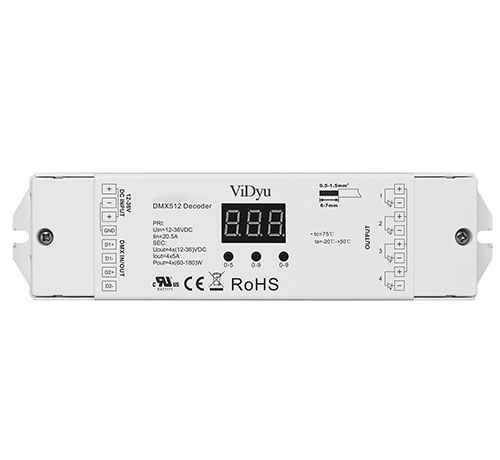
• Standard DMX512 compliant control interface.
• Supports RDM function.
• 4 PWM output channels.
• DMX address manually settable.
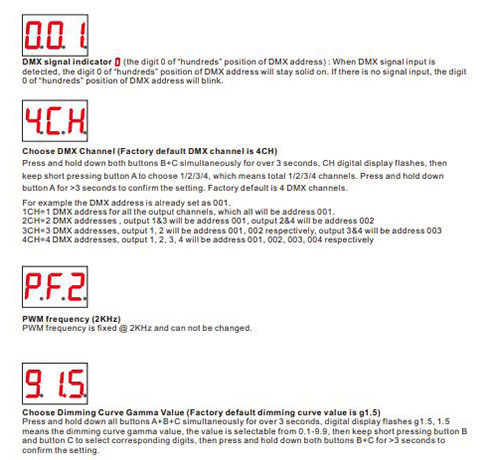
• DMX channel quantity from 1CH~4CH settable.
• Output PWM frequency 2KHz
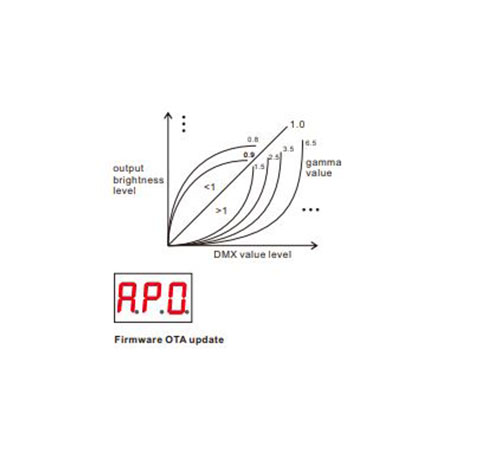
• Output dimming curve gamma value from 0.1 ~ 9.9 settable.
• To work with power repeater to expand output power unlimitedly.
• Waterproof grade:IP20.
Safety & Warnings
• DO NOT install with power applied to device.
• DO NOT expose the device to moisture.
Operation
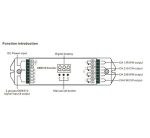
To set desired DMX512 address through buttons,
button A is to set “hundreds” position,
button B is to set “tens” position,
button C is to set “unit” position.
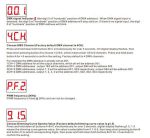
Set DMX address (Factory default DMX address is 001)
Press and hold down any of the 3 buttons for over 3 seconds, digital display flashes to enter into address
setting, then keep short pressing button A to set “hundreds” position, button B to set “tens” position, button C to
set “units” position, then press and hold down any button for >3 seconds to confirm the setting.
You will get this after power on the decoder, it means this decoder supports firmware OTA update function. This
function can be used when there is a firmware update from the manufacturer, the update can be executed
through a Windows computer and an USB to serial port converter, the converter will connect the computer and
the decoder’s hard wire DMX port. A software RS485-OTW on the computer will be used to push the firmware to
the decoder.
Connect the computer and the decoder through the USB to serial port converter, if you need to update multiple
decoders’ firmware, connect the converter to first decoder’s DMX port, then connect other decoders to the first
decoder in daisy chain through the DMX port. Please do not power on the decoders.
Run the OTA tool RS485-OTW on the computer, select the correct communication port “USB-SERIAL” ,
baudrate “250000”, and data bit “9”, use default settings for other configurations. Then click “file” button to
select the new firmware from the computer, then click “Open Port”, the firmware will be loaded. Then click
“Download Firmware”, the right side state column of the OTA tool will show “send link”. Then power on the
decoders before “wait erase” displaying on the state column, the digital display of the decoders will show
. Then “wait erase” will show on the state column, which means the updating starts. Then the OTA tool starts
writing data to the decoders, the state column will show the progress, once writing data finishes, the digital
display of the decoders will flash , which means firmware updated successfully.
Restore to Factory Default Setting
Press and hold down both buttons A+C for over 3 seconds until the digital display turns off and then turns on
again, all settings will be restored to factory default.
Default settings are as follows:
DMX Address: 001
DMX Address Quantity: 4CH
PWM Frequency: PF2
Gamma: g1.5
RDM Discovery Indication:
When using RDM to discover the device, the digital display will flash and the connected lights will also flash at
the same frequency to indicate. Once the display stops flashing, the connected light also stops flashing.
The supported RDM PIDs are as follows:
DISC_UNIQUE_BRANCH
DISC_MUTE
DISC_UN_MUTE
DEVICE_INFO
DMX_START_ADDRESS
IDENTIFY_DEVICE
SOFTWARE_VERSION_LABEL
DMX_PERSONALITY
DMX_PERSONALITY_DESCRIPTION
SLOT_INFO
SLOT_DESCRIPTION
MANUFACTURER_LABEL
SUPPORTED_PARAMETERS


